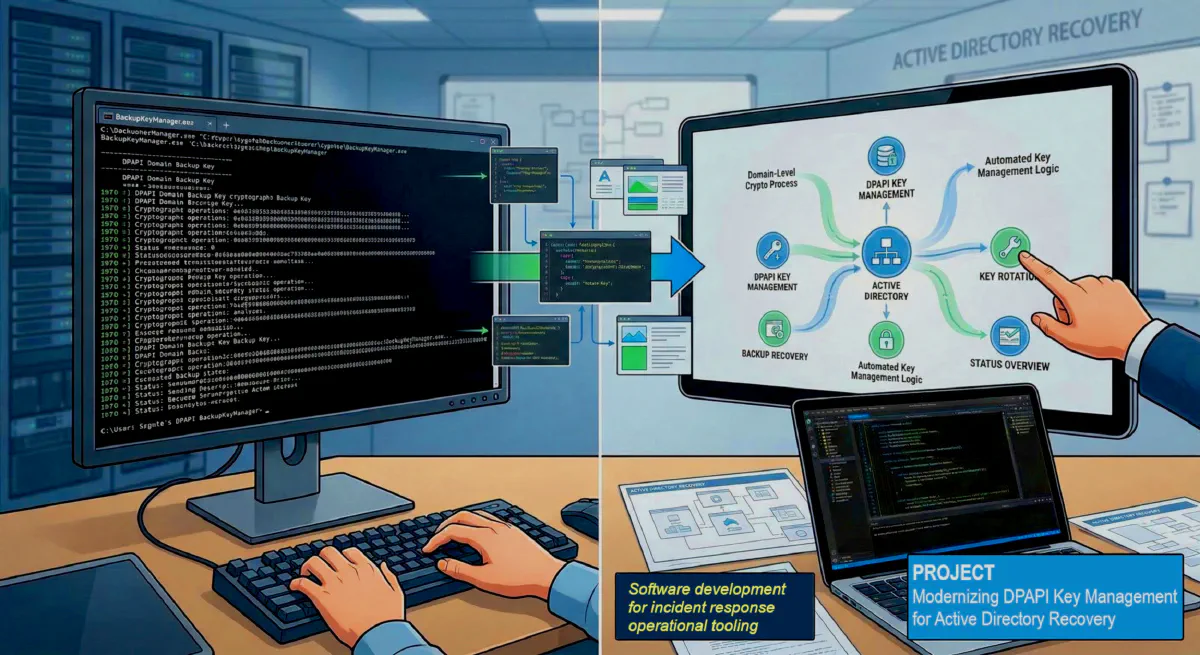
Project: Building a GUI Frontend for Sygnia’s DPAPI BackupKeyManager
During Active Directory compromise recovery, some of the most important remediation steps are also some of the least approachable operationally. One example is the management of the DPAPI Domain Backup Key, a domain-level cryptographic mechanism that can have serious long-term implications if exposed.
Windows uses the Data Protection API, or DPAPI, to protect sensitive information without requiring applications to manage encryption keys directly. Each user has a Master Key used to encrypt and decrypt protected data. In Active Directory environments, that Master Key is also recoverable through a Domain Backup Key, which allows a user’s encrypted data to be recovered if they forget their password.
The problem is that the domain backup key is effectively permanent unless it is deliberately changed. If an attacker compromises that key, they may be able to decrypt user master keys across the domain indefinitely. Sygnia’s BackupKeyManager was created to address exactly that problem by allowing defenders to generate a new backup key, set it as preferred, validate the configuration, and onboard users to the new key.
That tool is powerful, but it is also command-line driven and aimed at operators who are comfortable working with multiple verbs, parameters, and domain-controller-specific workflows. In an incident response scenario, that can introduce friction at exactly the wrong time.
To make the workflow more approachable, I designed and built a Windows GUI frontend for BackupKeyManager. Rather than replacing or modifying Sygnia’s underlying logic, my application acts as a thin operator console that helps structure common actions, validate inputs, and present command results in a more usable interface.
Why I Built It
I wanted to reduce the operational overhead involved in using the original utility during real-world security work. In many environments, not every administrator or responder wants to work directly from a command line, especially when the task involves a sensitive domain-level recovery workflow.
My goals for the project were straightforward:
- simplify interaction with the BackupKeyManager utility
- reduce the chance of command syntax mistakes
- provide a more accessible interface for common actions
- preserve the original tool’s behavior instead of reimplementing its cryptographic logic
This made the project a good fit for a GUI wrapper design.
What the GUI Does
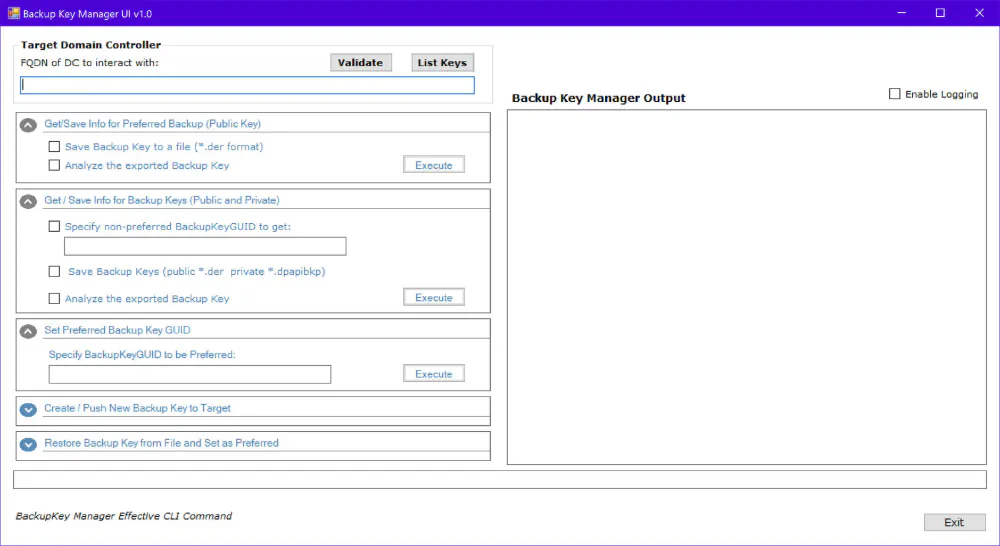
The application is built as a C# WinForms frontend for the original BackupKeyManager.exe. The interface collects the required operator inputs, builds the appropriate command-line arguments, launches the underlying executable, and displays the output back in the application.
The GUI supports the main workflows exposed by the underlying tool, including:
- retrieving the currently served public backup key
- retrieving and analyzing the active backup key
- generating a new backup key
- setting a preferred backup key
- validating the current configuration
- loading a backup key from file
I also added functionality to help enumerate existing backup key objects in Active Directory, making it easier to inspect key history and understand the state of the environment before making changes.
Design Approach
One of the most important design decisions was to avoid reimplementing the original DPAPI backup key logic. Instead, I kept the application focused on usability and workflow support.
At a high level, the design is simple:
GUI → parameter construction → BackupKeyManager.exe → output capture → result display
That approach has a few advantages.
First, it preserves compatibility with the original utility and avoids introducing unnecessary risk into a sensitive recovery process. Second, it keeps the application focused on operator experience rather than protocol implementation. Third, it makes the project easier to maintain because the GUI remains a wrapper around an established tool instead of becoming a fork of it.
Practical Benefits
From an operations standpoint, the GUI helps by making the workflow more deliberate and readable.
Instead of requiring the operator to remember or reconstruct command syntax, the application presents the major actions in a structured way. Parameters such as domain controller, FQDN, GUID, and file input can be entered directly through the interface. Output from the CLI is returned to the user in the same session, which makes it easier to review actions and results without switching contexts.
For security teams, that matters. During remediation work, even small usability improvements can reduce mistakes and improve confidence in the execution of a sensitive procedure.
Lessons Learned
This project was also a useful reminder that security tooling benefits from good interface design just as much as strong underlying functionality.
A technically correct tool is not always an operationally easy one. Wrapping a mature command-line utility with a purpose-built interface can make it more accessible without weakening the original logic. At the same time, building a frontend for a sensitive tool forces careful thinking about input validation, logging, error handling, and safe defaults.
Before publishing the project more broadly, I also plan to refine a few implementation details, including argument handling, process execution behavior, and packaging for redistribution.
Attribution
This project is a frontend built to work with Sygnia’s BackupKeyManager. Full credit for the original research and the underlying DPAPI backup key management utility belongs to Sygnia. Their work on the exposure and rotation of the DPAPI Domain Backup Key provided the technical foundation that made this project possible.
Closing Thoughts
This project sits at the intersection of security engineering and usability. It does not attempt to replace the original tool or its research. Instead, it aims to make an important defensive capability easier to use in practice.
For me, that is part of what makes security engineering valuable: not only understanding the underlying problem, but also building practical tools that help people solve it more effectively.