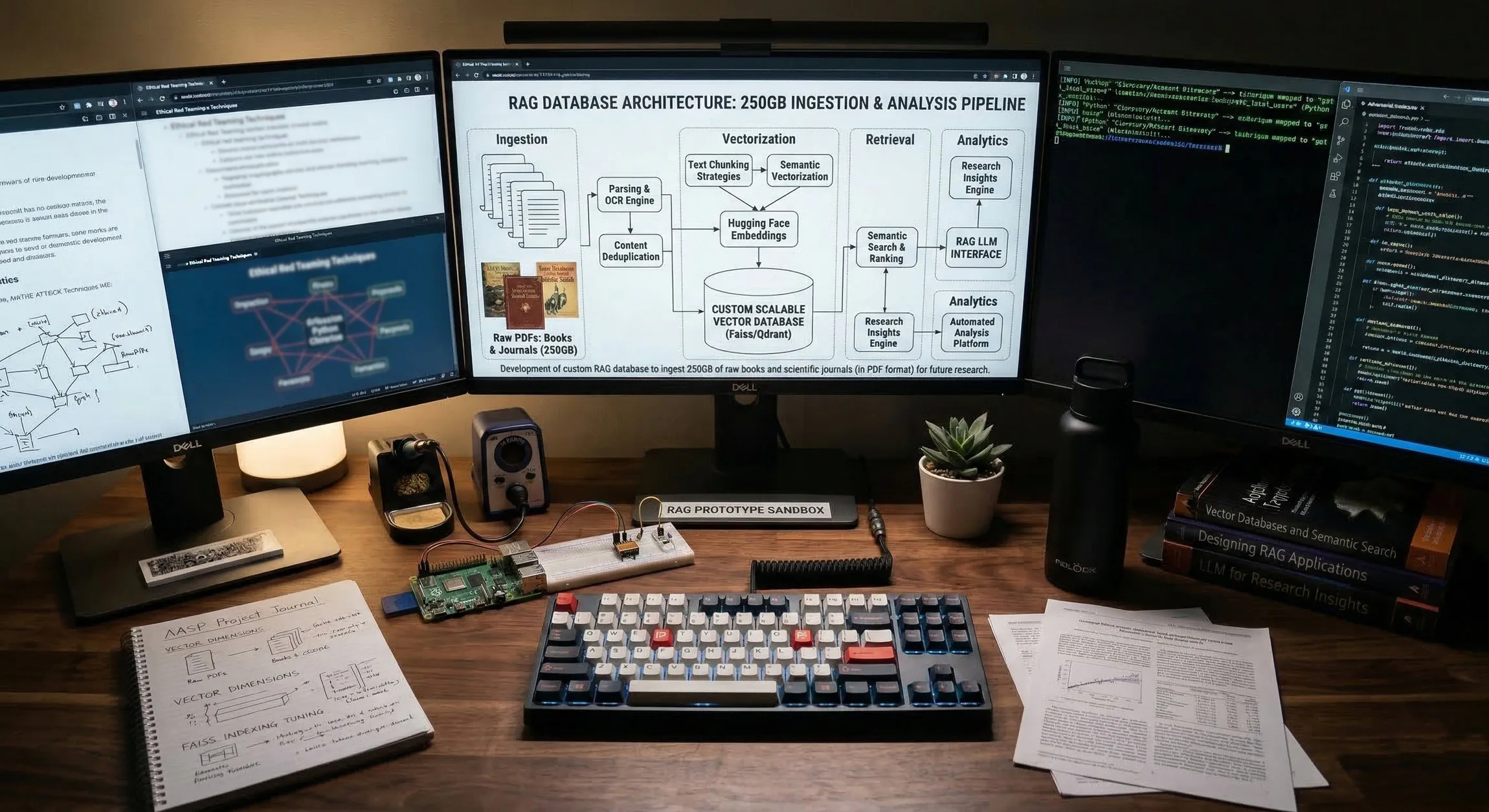
Project - High-Scale Local RAG Architecture for a 250GB+ PDF File Corpus
It’s rather useless when you have a huge amount of research that is not quite at your fingertips. You can use endless bash scripts, and grep the world away looking for some unique piece of information you remember reading years ago, but aren’t quite sure where it’s located. This project was designed to make better use of my rather large “tech” library, full of PDF research files (books, journals, articles, etc.). The success of this project means it will be easy to locate things, we will have a searchable database of everything, and be able to locate information when needed with a simple search query.
After looking into the costs to use a “premiere” model (ChatGPT, Claude, Gemini) I quickly realized the total amount could run into the $10s of thousands of dollars to do something like this. So, I made the obvious decision to engineer a system within my (meager) Proxmox lab for this purpose.
So let’s dive in and see how it is/was done…
Phase 1 - OS Hardening & Storage Initialization
Before the Python environment can be built, the Debian OS is prepared with the necessary compilers and the physical storage must be mounted.
1.1 OS Dependency Installation
We run these commands to ensure the Debian VM can compile the C-based extensions required for high-speed PDF parsing:
# Update repositories and install system-level build tools
sudo apt-get update && sudo apt-get upgrade -y
sudo apt-get install -y build-essential python3-dev python3-pip python3-venv screen nano curl
1.2 Formatting and Mounting the SSD (/dev/sdd)
Next, we Initialize the 250GB+ persistent storage layer (a 500GB flash drive based volume created in Proxmox):
# 1. Partition the drive
sudo parted /dev/sdd mklabel gpt
sudo parted /dev/sdd mkpart primary ext4 0% 100%

# 2. Format the new partition
sudo mkfs.ext4 -L KNOWLEDGE /dev/sdd1

# 3. Create the mount point and perform the initial mount
sudo mkdir -p /mnt/knowledge
sudo mount /dev/sdd1 /mnt/knowledge

# 4. Configure persistent mounting (fstab)
sudo blkid /dev/sdd1
sudo nano /etc/fstab
# Add this entry at the bottom:
UUID=[YOUR-UUID] /mnt/knowledge ext4 defaults,noatime 0 2
1.3 Establishing the Directory Hierarchy
After creating the storage and mounting it, we need to create the directory structure for the project:
# Create the structural tree
sudo mkdir -p /mnt/knowledge/raw_data/{infosec_research,quant_finance,pilot_test}
sudo mkdir -p /mnt/knowledge/vector_db/qdrant
sudo mkdir -p /mnt/knowledge/ingestion_logs
sudo mkdir -p /mnt/knowledge/ingestion_scripts

# Permission Alignment for User and Docker (UID 1000)
sudo chown -R $USER:$USER /mnt/knowledge
sudo chown -R 1000:1000 /mnt/knowledge/vector_db/qdrant
sudo chmod -R 755 /mnt/knowledge
Phase 2 - Image Acquisition & Docker Stack
Why we chose Qdrant as the vector database instead of ChromaDB (which comes with Open WebUI)?
Based on the 200GB of data we will be ingesting and using for RAG, Qdrant is both more robust and performant:
Vector Database Analysis: Qdrant vs. ChromaDB
| Feature | ChromaDB (Integrated) | Qdrant (Standalone) |
|---|---|---|
| Engine Core | Python-based | Rust-based (High Efficiency) |
| Storage Logic | Vector + Metadata (SQLite/DuckDB) | Segment-based (LSM-tree style) |
| 200GB+ Scaling | High RAM overhead; risk of OOM | mmap support; disk-resident payloads |
| Performance | Latency increases with corpus size | Sub-millisecond search at scale |
| Deployment | Embedded in Open WebUI | Decoupled Microservice |
Next, we manually pull images and models to ensure zero first-run failures.
2.1 Manual Image & Model Pull
I’ve already set up Open WebUI, Gitea, and Ollama, however we will repull them to get the latest and add qdrant to the mix now as well.
# 1. Pull engines
docker pull qdrant/qdrant:latest
docker pull ollama/ollama:latest
docker pull ghcr.io/open-webui/open-webui:main

# 2. Pull embedding model via temp container
docker run -d -v personal-agent_ollama_models:/root/.ollama --name temp_ollama ollama/ollama:latest
docker exec -it temp_ollama ollama pull nomic-embed-text
docker stop temp_ollama && docker rm temp_ollama
2.2 The docker-compose.yaml
The following is what our “docker-compose.yaml” has been adjust to, in order for Open WebUI, Ollama, and Qdrant to all interface with each other.
nano /mnt/knowledge/ingestion_scripts/docker-compose.yaml
services:
  open-webui:
    image: ghcr.io/open-webui/open-webui:main
    container_name: open-webui
    restart: always
    ports:
      - "3000:8080"
    environment:
      - 'OLLAMA_BASE_URL=http://ollama:11434'
      - 'VECTOR_DB=qdrant'
      - 'QDRANT_HOST=qdrant'
    volumes:
      - personal-agent_open_webui_data:/app/backend/data
      - /mnt/knowledge/raw_data:/data/docs:ro
    networks:
      - agent-net
    depends_on:
      - qdrant

  ollama:
    image: ollama/ollama:latest
    container_name: ollama
    restart: always
    deploy:
      resources:
        limits:
          cpus: '8.0'
          memory: 12G
    volumes:
      - personal-agent_ollama_models:/root/.ollama
    networks:
      - agent-net
    ports:
      - "11434:11434"

  qdrant:
    image: qdrant/qdrant:latest
    container_name: qdrant
    restart: always
    environment:
      - QDRANT__STORAGE__PERFORMANCE_OPTIMIZATION=true
    volumes:
      - /mnt/knowledge/vector_db/qdrant:/qdrant/storage
    networks:
      - agent-net

networks:
  agent-net:
    driver: bridge

volumes:
  personal-agent_open_webui_data:
    external: true
  personal-agent_ollama_models:
    external: true
Phase 3 - Python Runtime & Ingestion Engine
3.1 Virtual Environment (venv) & Pip Installation
Now we create the isolated environment on the persistent drive for further work:
cd /mnt/knowledge/ingestion_scripts
python3 -m venv venv
source venv/bin/activate

# Install and Update the RAG stack
pip install --upgrade pip
pip install qdrant-client langchain langchain-community langchain-ollama pypdf
3.2 Robust ETL - Implementing a 3-Stage Pipeline
A 250GB ingestion pipeline requires fault tolerance, idempotency, and explicit state management (failing silently and duplicating vectors on re-runs are classic RAG pipeline pitfalls).
Let’s Outline the 3-Stage Pipeline:
- Pre-Flight Inspection (
pre_ingest.py): Checks for encryption, OCR text availability, and content duplication (using localized hashing). Bad files are quarantined, preserving the directory structure. - Idempotent Ingestion (
ingest_knowledge.py): Prior to chunking, the script queries Qdrant for any existing vectors associated with the filename and deletes them. This ensures fresh data overwrites old data without duplication. - Stateful Completion: Upon successful database commit, the file is physically moved to a
_completeddirectory. If the script is killed, it picks up exactly where it left off on the next run.
**3.2.1 Pre-Processing Script (pre_ingest.py)
This script handles both Pilot and Main directories via configuration variables. It uses pypdf (already installed via Langchain) to detect encryption and missing OCR. For similarity, it hashes the first 2,000 alphanumeric characters of the document; doing true 95% semantic similarity across 250GB would require a dedicated vector-clustering engine, whereas localized hashing is fast and catches 99% of exact text duplicates.
Save as: /mnt/knowledge/ingestion_scripts/pre_ingest.py
import os
import shutil
import hashlib
import logging
from pypdf import PdfReader
from pypdf.errors import PdfReadError

# --- ARCHITECT'S CONFIGURATION ---
MODE = "main" # Options: "main" or "pilot"

if MODE == "pilot":
    SOURCE_DIR = "/mnt/knowledge/raw_data/pilot_test"
    FAILED_DIR = "/mnt/knowledge/raw_data/pilot_pre_processing_failed"
    SIMILAR_DIR = "/mnt/knowledge/raw_data/pilot_pre_processing_failed_similar"
    LOG_FILE = "/mnt/knowledge/ingestion_logs/pilot_pre_ingest.log"
else:
    SOURCE_DIR = "/mnt/knowledge/raw_data/library"
    FAILED_DIR = "/mnt/knowledge/raw_data/pre_processing_failed"
    SIMILAR_DIR = "/mnt/knowledge/raw_data/pre_processing_failed_similar"
    LOG_FILE = "/mnt/knowledge/ingestion_logs/pre_ingest.log"

logging.basicConfig(
    filename=LOG_FILE,
    level=logging.INFO,
    format='%(asctime)s - %(levelname)s - %(message)s'
)

def get_text_hash(reader):
    """Extracts first 2000 chars to create a duplication hash signature."""
    text_content = ""
    for page in reader.pages[:3]:
        text = page.extract_text()
        if text:
            text_content += text

    if not text_content.strip():
        return None

    clean_text = ''.join(e for e in text_content if e.isalnum()).lower()[:2000]
    return hashlib.md5(clean_text.encode('utf-8')).hexdigest()

def move_file(file_path, base_source_dir, target_base_dir):
    """Moves a file while maintaining the internal directory structure."""
    rel_path = os.path.relpath(file_path, base_source_dir)
    target_path = os.path.join(target_base_dir, rel_path)
    os.makedirs(os.path.dirname(target_path), exist_ok=True)
    shutil.move(file_path, target_path)
    return target_path

def run_pre_check():
    logging.info(f"--- Starting Pre-Ingestion Scan: {MODE.upper()} ---")

    # seen_hashes now stores { "hash": "/absolute/path/to/file.pdf" }
    seen_hashes = {}

    for root, _, files in os.walk(SOURCE_DIR):
        for file in files:
            if file.lower().endswith(".pdf"):
                file_path = os.path.join(root, file)
                try:
                    reader = PdfReader(file_path)

                    if reader.is_encrypted:
                        logging.error(f"Failed (Encrypted): {file_path}")
                        move_file(file_path, SOURCE_DIR, FAILED_DIR)
                        continue

                    doc_hash = get_text_hash(reader)

                    if not doc_hash:
                        logging.error(f"Failed (No OCR/Empty): {file_path}")
                        move_file(file_path, SOURCE_DIR, FAILED_DIR)
                        continue

                    # --- DYNAMIC PRIORITY SWAPPING LOGIC ---
                    if doc_hash in seen_hashes:
                        existing_file_path = seen_hashes[doc_hash]

                        # Tie-breaker: If the old file is UNSORTED, but the new file is NOT.
                        if "_UNSORTED" in existing_file_path and "_UNSORTED" not in file_path:
                            logging.warning(f"Duplicate Swap: Kept preferred [{file_path}] | Moving older [{existing_file_path}] to duplicates.")
                            # Move the old file out of the library
                            move_file(existing_file_path, SOURCE_DIR, SIMILAR_DIR)
                            # Update the registry to point to our newly preferred file
                            seen_hashes[doc_hash] = file_path
                        else:
                            # The existing file is either superior or equal. Move the new file.
                            logging.warning(f"Duplicate Removed: Moving [{file_path}] | Kept existing [{existing_file_path}]")
                            move_file(file_path, SOURCE_DIR, SIMILAR_DIR)
                        continue

                    # File is good and unique
                    seen_hashes[doc_hash] = file_path
                    logging.info(f"Passed Checks: {file_path}")

                except PdfReadError as e:
                    logging.error(f"Failed (Corrupt PDF): {file_path} - {str(e)}")
                    move_file(file_path, SOURCE_DIR, FAILED_DIR)
                except Exception as e:
                    logging.error(f"Failed (Unknown Error): {file_path} - {str(e)}")
                    move_file(file_path, SOURCE_DIR, FAILED_DIR)

if __name__ == "__main__":
    run_pre_check()
3.2.2 Production Ingestion (ingest_knowledge.py)
We create a script to ingest the large corpus of pdf documents into the vector store database. This script includes a RotatingFileHandler (rotates logs at 5MB, keeps 20 backups), payload deletion to enforce idempotency, and stateful tracking via shutil.move.
Save as: /mnt/knowledge/ingestion_scripts/ingest_knowledge.py
import os
import logging
from logging.handlers import RotatingFileHandler
import uuid
import shutil
from qdrant_client import QdrantClient
from qdrant_client.http import models
from langchain_community.document_loaders import PyPDFLoader
from langchain_text_splitters import RecursiveCharacterTextSplitter
from langchain_ollama import OllamaEmbeddings

# --- CONFIGURATION ---
SOURCE_DIR = "/mnt/knowledge/raw_data/library" # Set to your actual main input folder
COMPLETED_DIR = "/mnt/knowledge/raw_data/processing_completed"
LOG_FILE = "/mnt/knowledge/ingestion_logs/processing.log"
QDRANT_URL = "http://127.0.0.1:6333"
COLLECTION_NAME = "knowledge_base"
UI_KNOWLEDGE_ID = "2f3b3840-7053-4779-9039-b693d8e645e6"

# Setup Rotating Log (Max 10MB per file, keep 5 backups)
logger = logging.getLogger("ProductionIngest")
logger.setLevel(logging.INFO)
handler = RotatingFileHandler(LOG_FILE, maxBytes=10*1024*1024, backupCount=5)
handler.setFormatter(logging.Formatter('%(asctime)s - %(levelname)s - %(message)s'))
logger.addHandler(handler)

def run_ingestion():
    client = QdrantClient(url=QDRANT_URL)
    embeddings = OllamaEmbeddings(model="nomic-embed-text")
    splitter = RecursiveCharacterTextSplitter(chunk_size=1500, chunk_overlap=250)

    # Collection Validation
    collections = client.get_collections().collections
    if not any(c.name == COLLECTION_NAME for c in collections):
        logger.info(f"Creating Production Collection: {COLLECTION_NAME}")
        client.create_collection(
            collection_name=COLLECTION_NAME,
            vectors_config=models.VectorParams(size=768, distance=models.Distance.COSINE),
            hnsw_config=models.HnswConfigDiff(on_disk=True)
        )

    logger.info("--- Starting Stateful Production Ingestion Cycle ---")

    for root, _, files in os.walk(SOURCE_DIR):
        for file in files:
            if file.lower().endswith(".pdf"):
                file_path = os.path.join(root, file)

                try:
                    # 1. IDEMPOTENT OVERWRITE: Delete existing chunks for this specific file
                    client.delete(
                        collection_name=COLLECTION_NAME,
                        points_selector=models.Filter(
                            must=[models.FieldCondition(key="source", match=models.MatchValue(value=file))]
                        )
                    )

                    # 2. Extract and Split
                    loader = PyPDFLoader(file_path)
                    pages = loader.load_and_split(splitter)

                    if not pages:
                        logger.error(f"Error: {file} yielded no text chunks.")
                        continue

                    # 3. Embed and Stage
                    points = []
                    for doc in pages:
                        vector = embeddings.embed_query(doc.page_content)
                        points.append(models.PointStruct(
                            id=str(uuid.uuid4()),
                            vector=vector,
                            payload={
                                "id": str(uuid.uuid4()),
                                "knowledge_id": UI_KNOWLEDGE_ID,
                                "page_content": doc.page_content,
                                "metadata": doc.metadata,
                                "source": file
                            }
                        ))

                        # Batch push
                        if len(points) >= 50:
                            client.upsert(collection_name=COLLECTION_NAME, points=points)
                            points = []

                    # Push remaining
                    if points:
                        client.upsert(collection_name=COLLECTION_NAME, points=points)

                    # 4. STATE MANAGEMENT: Move file on explicit success
                    rel_path = os.path.relpath(file_path, SOURCE_DIR)
                    target_path = os.path.join(COMPLETED_DIR, rel_path)
                    os.makedirs(os.path.dirname(target_path), exist_ok=True)
                    shutil.move(file_path, target_path)

                    logger.info(f"Success: {file} indexed and moved to completed.")

                except Exception as e:
                    # File remains in SOURCE_DIR. Will be retried on next run.
                    logger.error(f"Error: Critical failure processing {file}: {str(e)}")

if __name__ == "__main__":
    run_ingestion()
3.2.3 Pilot Ingestion (pilot_ingest.py)
A mirrored version of the production script (minus log rotation) mapped to pilot directories.
Save as: /mnt/knowledge/ingestion_scripts/pilot_ingest.py
import os
import logging
import uuid
import shutil
from qdrant_client import QdrantClient
from qdrant_client.http import models
from langchain_community.document_loaders import PyPDFLoader
from langchain_text_splitters import RecursiveCharacterTextSplitter
from langchain_ollama import OllamaEmbeddings

# --- CONFIGURATION ---
SOURCE_DIR = "/mnt/knowledge/raw_data/pilot_test"
COMPLETED_DIR = "/mnt/knowledge/raw_data/pilot_processing_completed"
LOG_FILE = "/mnt/knowledge/ingestion_logs/pilot_ingest.log"
QDRANT_URL = "http://127.0.0.1:6333"
COLLECTION_NAME = "pilot_collection"
UI_KNOWLEDGE_ID = "2f3b3840-7053-4779-9039-b693d8e645e6"

logging.basicConfig(
    filename=LOG_FILE,
    level=logging.INFO,
    format='%(asctime)s - %(levelname)s - %(message)s'
)

def run_pilot():
    client = QdrantClient(url=QDRANT_URL)
    embeddings = OllamaEmbeddings(model="nomic-embed-text")
    splitter = RecursiveCharacterTextSplitter(chunk_size=1500, chunk_overlap=250)

    collections = client.get_collections().collections
    if not any(c.name == COLLECTION_NAME for c in collections):
        logging.info(f"Creating Pilot Collection: {COLLECTION_NAME}")
        client.create_collection(
            collection_name=COLLECTION_NAME,
            vectors_config=models.VectorParams(size=768, distance=models.Distance.COSINE)
        )

    for root, _, files in os.walk(SOURCE_DIR):
        for file in files:
            if file.lower().endswith(".pdf"):
                file_path = os.path.join(root, file)
                try:
                    # Idempotent overwrite
                    client.delete(
                        collection_name=COLLECTION_NAME,
                        points_selector=models.Filter(
                            must=[models.FieldCondition(key="source", match=models.MatchValue(value=file))]
                        )
                    )

                    loader = PyPDFLoader(file_path)
                    pages = loader.load_and_split(splitter)

                    if not pages:
                        logging.error(f"Pilot Error: {file} yielded no text.")
                        continue

                    points = []
                    for doc in pages:
                        vector = embeddings.embed_query(doc.page_content)
                        points.append(models.PointStruct(
                            id=str(uuid.uuid4()),
                            vector=vector,
                            payload={
                                "id": str(uuid.uuid4()),
                                "knowledge_id": UI_KNOWLEDGE_ID,
                                "page_content": doc.page_content,
                                "metadata": doc.metadata,
                                "source": file
                            }
                        ))
                        if len(points) >= 50:
                            client.upsert(collection_name=COLLECTION_NAME, points=points)
                            points = []

                    if points:
                        client.upsert(collection_name=COLLECTION_NAME, points=points)

                    # State Management
                    rel_path = os.path.relpath(file_path, SOURCE_DIR)
                    target_path = os.path.join(COMPLETED_DIR, rel_path)
                    os.makedirs(os.path.dirname(target_path), exist_ok=True)
                    shutil.move(file_path, target_path)

                    logging.info(f"Pilot Success: {file} indexed and moved.")

                except Exception as e:
                    logging.error(f"Pilot Error in {file}: {str(e)}")

if __name__ == "__main__":
    run_pilot()
3.2.4 Re-Indexing Script for Maintenance (reindex.py)
We create a script that enables us to reset things if there are issues with our indexed data.
If we choose to wipe the database/reindex our data source files, the script returns all of the completed files back to the source directory and begins to re-ingest.
Save as: /mnt/knowledge/ingestion_scripts/reindex.py
import os
import shutil
from qdrant_client import QdrantClient

COMPLETED_DIR = "/mnt/knowledge/raw_data/processing_completed"
SOURCE_DIR = "/mnt/knowledge/raw_data/library"

client = QdrantClient(url="http://localhost:6333")

confirm = input("Wipe DB and Move ALL completed files back to source for re-ingestion? (yes/no): ")
if confirm.lower() == 'yes':
    print("[*] Deleting Qdrant Collection...")
    client.delete_collection("knowledge_base")

    print("[*] Restoring files to source directory...")
    for root, _, files in os.walk(COMPLETED_DIR):
        for file in files:
            file_path = os.path.join(root, file)
            rel_path = os.path.relpath(file_path, COMPLETED_DIR)
            target_path = os.path.join(SOURCE_DIR, rel_path)

            os.makedirs(os.path.dirname(target_path), exist_ok=True)
            shutil.move(file_path, target_path)

    print("[*] Starting Ingestion Script...")
    os.system("/mnt/knowledge/ingestion_scripts/venv/bin/python3 /mnt/knowledge/ingestion_scripts/ingest_knowledge.py")
Phase 5 - Automation & Custom Shortcuts
For the final ingestion of the full document corpus, we create an alias so we can review and monitor the ingestion process.
5.1 The Watcher Script (watcher.sh)
We create the following script to assist with monitoring functions:
nano /mnt/knowledge/ingestion_scripts/watcher.sh
#!/bin/bash
VENV_PATH="/mnt/knowledge/ingestion_scripts/venv/bin/activate"
SCRIPT_PATH="/mnt/knowledge/ingestion_scripts/ingest_knowledge.py"
while true; do
    source $VENV_PATH
    python3 $SCRIPT_PATH
    sleep 300
done
chmod +x /mnt/knowledge/ingestion_scripts/watcher.sh
5.2 The Systemd Service
Next, we create a systemd service to run the script we created:
sudo nano /etc/systemd/system/knowledge-ingestor.service
[Unit]
Description=Knowledge Base Auto-Ingestor
After=docker.service

[Service]
Type=simple
User=packrat
WorkingDirectory=/mnt/knowledge/ingestion_scripts
ExecStart=/mnt/knowledge/ingestion_scripts/watcher.sh
Restart=always
Nice=19

[Install]
WantedBy=multi-user.target
Activate the service:
sudo systemctl daemon-reload
sudo systemctl enable knowledge-ingestor.service
sudo systemctl start knowledge-ingestor.service
5.3 Health Monitoring Script (check_lab_health.sh)
We also create a health monitoring script for the lab to occasionally check things:
Create the bash script file:
nano /mnt/knowledge/ingestion_scripts/check_lab_health.sh
Paste in the script and save:
#!/bin/bash
THRESHOLD=90
MOUNT="/mnt/knowledge"
echo "--- [$(date)] Lab Health Pulse ---"
for c in open-webui ollama qdrant; do
    docker inspect -f '{{.State.Running}}' $c 2>/dev/null | grep -q "true" \
    && echo "[OK] $c up" || echo "[ERR] $c DOWN"
done
USAGE=$(df $MOUNT | tail -1 | awk '{print $5}' | sed 's/%//')
if [ "$USAGE" -gt "$THRESHOLD" ]; then
    echo "[WARN] Disk High: ${USAGE}% used on $MOUNT"
else
    echo "[OK] Disk Health: ${USAGE}% used"
fi
Verify permission:
chmod +x /mnt/knowledge/ingestion_scripts/check_lab_health.sh
5.4 Cron Automation
Next we open Chrontab and have it run our monitoring script created above, as well as output to a logfile which we can tail for issues:
crontab -e
Paste into chrontab:
0 * * * * /mnt/knowledge/ingestion_scripts/check_lab_health.sh >> /mnt/knowledge/ingestion_logs/health_pulse.log 2>&1
Create the initial log files and verify permissions:
touch /mnt/knowledge/ingestion_logs/health_pulse.log
chmod 664 /mnt/knowledge/ingestion_logs/health_pulse.log
5.5 Ingestion Flow Status
| Component | Status | Role |
|---|---|---|
| Storage (/dev/sdd) | Mounted at /mnt/knowledge | Persistent host for RAW and Vector data |
| Database | Qdrant (Docker) | High-performance Rust engine for 250GB+ RAG |
| Inference Engine | Ollama (Docker) | Serving embeddings (nomic-embed-text) |
| Orchestration | Open WebUI | Frontend interface for knowledge retrieval |
| Batch Ingestor | Python (Local Venv) | Controlled embedding to prevent memory saturation |
| Automation | Systemd Service | Watcher script for automated indexing |
| Log Management | Logrotate | Prevents log exhaustion during 200GB ingest |
Phase 6 - Execution, Validation, & Stress Testing
Not only do we need to monitor and watch the ingestion process, but we need to verify the quality of the retrieval in Open WebUI before starting the massive production move.
6.1 Execution via Screen
We will test the system setup prior to enabling and ingesting the 250GB of files with a small sampling. We can run the pilot script via “screen” so we can detach it, let it run, and monitor things.
For 100MB or less of pilot data it should take less than a half hour, for full ingestion, it could take from days to weeks.
screen -S ingestion
source /mnt/knowledge/ingestion_scripts/venv/bin/activate
python3 /mnt/knowledge/ingestion_scripts/pilot_ingest.py
# Detach: Ctrl+A, then D
- Substitute “ingest_knowledge.py” above when we run the main script.
6.2 Ingestion Monitoring & Verification
The following table outlines the items to verify that our data is being ingested:
| Metric | Threshold | logic Check |
|---|---|---|
| Log Output | “Pilot Success” | Confirms PDF pages were split and embedded. |
| Points Count | > 0 | Confirms vectors are physically in the DB shards. |
| Index Status | Climbing | Confirms HNSW segments are being built for scale. |
We can tail the ingestion logs to review the file consumption and indexing in real-time (and filter out noise), via grep -E (extended regex) to isolate the exact strings we defined in the logging mechanisms.
Run this in the terminal while the ingest script is executing:
tail -f /mnt/knowledge/ingestion_logs/pilot_ingest.log | grep -E "Success:|Error:"
- Substitute “processing.log” for “pilot_ingest.log” above when we run the main script.
While waiting for that, we can verify the points_count is increasing every 5-10 seconds. This confirms the gRPC/HTTP handshake is successfully committing vectors:
watch -n 5 "curl -s http://localhost:6333/collections/pilot_collection | grep points_count"
- Substitute “knowledge_base” for “pilot_collection” above when we run the main script.
Once the collection crosses 10,000 points, the background optimizer will begin building the HNSW index. Use this command to watch the searchable index grow:
curl -s http://localhost:6333/collections/pilot_collection | grep indexed_vectors_count
- Substitute “knowledge_base” for “pilot_collection” above when we run the main script.
If the count remains at zero despite logs showing “Success,” check the Docker logs for dimension mismatch errors (standard is 768 for nomic-embed-text):
docker logs qdrant --tail 50
Phase 7 - Engineering the Retrieval Interface & Open WebUI Integration
With the data successfully embedded into Qdrant, the final architectural challenge is connecting the Open WebUI front-end to the vector database.
While Open WebUI supports internal RAG integrations (via Settings > Documents), enterprise environments often rely on heavily sandboxed, immutable Docker containers. These strict dependency controls frequently cause compatibility issues with standard Python packages like qdrant-client when executed inside the UI container.
To ensure absolute reliability, pipeline resilience, and multi-domain scaling, we bypass the built-in document pipeline entirely and engineer an Agentic REST API Retrieval Tool.
7.1 The REST API Strategy & Semantic Isolation
Rather than fighting container dependency conflicts, our custom tool uses standard HTTP POST requests to bypass the sandboxes. It performs a “Two-Hop” retrieval:
- It hits the local Ollama API to generate the embedding for the user’s query.
- It fires a raw JSON payload directly to Qdrant’s
/points/searchendpoint.
By utilizing Pydantic Valves, this tool exposes configuration fields directly in the Open WebUI interface. To add a new knowledge domain later (e.g., InfoSec vs. Quant Finance), we simply duplicate the tool and change the COLLECTION_NAME Valve to target the isolated Qdrant shard, ensuring semantic isolation.
7.2 Building the Qdrant Search Tool
- In Open WebUI, navigate to Workspace > Tools and click the + icon to create a new tool.
- Name it
Local Qdrant Vector Search. - Paste the following Python code and click Save:
"""
title: Local Qdrant Vector Search (Ollama + REST)
author: Technosec.info
version: 1.2.0
license: MIT
description: Agentic RAG tool utilizing direct REST APIs to bypass container dependency conflicts.
"""

import os
import json
import requests
from pydantic import BaseModel, Field
from typing import Any, Callable

class Tools:
    class Valves(BaseModel):
        QDRANT_URL: str = Field(
            default="http://qdrant:6333",
            description="Internal Docker URL of your Qdrant instance.",
        )
        OLLAMA_URL: str = Field(
            default="http://ollama:11434",
            description="Internal Docker URL of your Ollama instance.",
        )
        EMBEDDING_MODEL: str = Field(
            default="nomic-embed-text",
            description="The Ollama model used to generate vectors.",
        )
        COLLECTION_NAME: str = Field(
            default="pilot_collection",
            description="Name of the Qdrant collection to query.",
        )
        TOP_K: int = Field(
            default=5,
            description="Number of nearest neighbors to retrieve.",
        )

    def __init__(self):
        self.valves = self.Valves()

    async def search_vectors(
        self, query: str, __event_emitter__: Callable[[dict], Any] = None
    ) -> str:
        """
        Use this tool to search the Infosec Knowledge Base for technical documents, standards, or operational procedures.
        :param query: The search term or question to query the database.
        :return: JSON string containing relevant document chunks.
        """

        # 1. Emit Initialization Status
        if __event_emitter__:
            await __event_emitter__(
                {
                    "type": "status",
                    "data": {
                        "status": "in_progress",
                        "description": "Generating query embeddings via Ollama...",
                    },
                }
            )

        # 2. Generate Embeddings locally via Ollama REST API
        try:
            embed_payload = {"model": self.valves.EMBEDDING_MODEL, "prompt": query}
            embed_resp = requests.post(
                f"{self.valves.OLLAMA_URL}/api/embeddings",
                json=embed_payload,
                timeout=15,
            )
            embed_resp.raise_for_status()
            vector = embed_resp.json().get("embedding")

            if not vector:
                raise ValueError("Ollama returned an empty embedding vector.")

        except Exception as e:
            error_msg = f"Ollama Embedding failure: {str(e)}"
            if __event_emitter__:
                await __event_emitter__({"type": "status", "data": {"status": "error", "description": error_msg, "done": True}})
            return json.dumps({"error": error_msg})

        # 3. Emit Search Status
        if __event_emitter__:
            await __event_emitter__(
                {
                    "type": "status",
                    "data": {
                        "status": "in_progress",
                        "description": f"Querying Qdrant via REST ({self.valves.COLLECTION_NAME})...",
                    },
                }
            )

        # 4. Execute Vector Search against Qdrant via REST API
        try:
            qdrant_search_url = f"{self.valves.QDRANT_URL}/collections/{self.valves.COLLECTION_NAME}/points/search"
            qdrant_payload = {
                "vector": vector,
                "limit": self.valves.TOP_K,
                "with_payload": True,
            }

            qdrant_resp = requests.post(qdrant_search_url, json=qdrant_payload, timeout=15)
            qdrant_resp.raise_for_status()

            hits = qdrant_resp.json().get("result", [])

        except Exception as e:
            error_msg = f"Qdrant REST API Error: {str(e)}"
            if __event_emitter__:
                await __event_emitter__({"type": "status", "data": {"status": "error", "description": error_msg, "done": True}})
            return json.dumps({"error": error_msg})

        # 5. Parse Payload and Format for LLM Consumption
        results = []
        for h in hits:
            payload = h.get("payload", {})
            source_file = payload.get("source", "Unknown Source")
            content = payload.get("page_content", "")
            score = h.get("score", 0.0)

            results.append({"score": round(score, 4), "source": source_file, "content": content})

        # 6. Emit Completion Status
        if __event_emitter__:
            await __event_emitter__(
                {
                    "type": "status",
                    "data": {
                        "status": "complete",
                        "description": f"Retrieved {len(results)} relevant chunks.",
                        "done": True,
                    },
                }
            )

        return json.dumps(results, ensure_ascii=False)
7.3 Creating a Grounded Model Alias (Agentic Routing)
Instead of tying the database to the global Open WebUI settings, we create a dedicated “Model” that uses our new tool autonomously.
-
Go to the Workspace tab > Models > Create a Model.
-
Name:
Infosec-Architect-Pilot. -
Base Model: Select
llama3.3:70b(or your preferred heavyweight reasoning model). -
System Prompt:
“You are a Senior InfoSec Architect. Use the provided tool to search the knowledge base and answer technical queries. If the information is not in the documents, state that clearly. Always cite your sources.”
-
Tools Integration: Scroll down to the Tools section and toggle ON the
Local Qdrant Vector Searchtool. (Do not add the collection to the Knowledge section; the tool handles the routing). -
Click Save.
7.4 The RAG Stress Test Matrix
With the agent configured, we use these specific prompt types to “smoke test” the #pilot_collection.
| Test Type | Prompt Objective | Sample Query |
|---|---|---|
| Deep Retrieval | Fact-finding in a 500+ page book | “According to [Book Name], what are the three specific requirements for [Concept]?” |
| Cross-Document | Synthesis between Book and Journal | “Compare the definition of [Topic] in the textbook vs. the findings in [Journal Name].” |
| Table/Data Test | Extraction of structural information | “Identify the data from Table 2.1 in [Journal Name] and summarize the key findings.” |
| Negative Test | Hallucination prevention | “What does the pilot data say about [Topic NOT in your 8 files]?” |
| Acronym Test | Mapping technical jargon | “Explain the [Niche Acronym] process as described in the research papers.” |
7.5 Pilot Evaluation Tracker
We use the following to grade the results objectively. If we see “hallucinations” or “I don’t know” for facts we know are in the pilot files, we may need to adjust the TOP_K valve in our tool.
| Metric | Pass/Fail | Observations |
|---|---|---|
| Accuracy | [ ] | Did it pull the correct page/section? |
| Citation | [ ] | Did it cite the source file effectively? |
| Speed | [ ] | Was the response time acceptable for local compute? |
| Formatting | [ ] | Are code blocks or formulas rendered correctly? |
| Completeness | [ ] | Did it miss details from the “Deep Retrieval” test? |
7.6 Execution & The “Golden Query”
Now, start a new chat and select the Infosec-Architect-Pilot model. Ensure the Tool toggle (puzzle piece icon near the chat bar) is active for the conversation.
Run this test query:
“Summarize the key findings regarding API penetration testing from the 2024 journals in the pilot set.”
What to look for in the response:
- Tool Invocation: Does the UI show a “Thought” process indicating it is generating embeddings and querying Qdrant?
- Source Logic: Does the LLM explicitly name the files it pulled from
/mnt/knowledge/raw_data/pilot_test/? - Grounding: If it mentions a specific CVE or methodology, verify it exists in the pilot PDFs.
APPENDIX
Final Architect’s “Global File” and “Orchestration” Maps
This map serves as the single source of truth for the Knowledge drive on /mnt/knowledge.
| Category | File Name | Full Path | Purpose |
|---|---|---|---|
| Logic | ingest_knowledge.py | /mnt/knowledge/ingestion_scripts/ | Main RAG processing engine |
| Testing | pilot_ingest.py | /mnt/knowledge/ingestion_scripts/ | Isolated pilot ingestor |
| Loop | watcher.sh | /mnt/knowledge/ingestion_scripts/ | Automation loop for Systemd |
| Service | knowledge-ingestor.service | /etc/systemd/system/ | Systemd unit definition |
| Ops | check_lab_health.sh | /mnt/knowledge/ingestion_scripts/ | Lab & Disk health monitor |
| Cleanup | reindex.py | /mnt/knowledge/ingestion_scripts/ | Atomic index wipe/rebuild |
| Logging | processing.log | /mnt/knowledge/ingestion_logs/ | Bulk ingestion output |
| Health | health_pulse.log | /mnt/knowledge/ingestion_logs/ | Crontab health check output |
This is the single source of truth for the orchestration via Docker and the Web Front-Ends.
| Category | Component | Full Path | Port |
|---|---|---|---|
| Orchestration | docker-compose.yaml |
~/projects/conductor/ |
N/A |
| Web Interface | Open WebUI | Container: open-webui |
3000 |
| Inference | Ollama | Container: ollama |
11434 |
| Vector DB | Qdrant | Container: qdrant |
6333 |