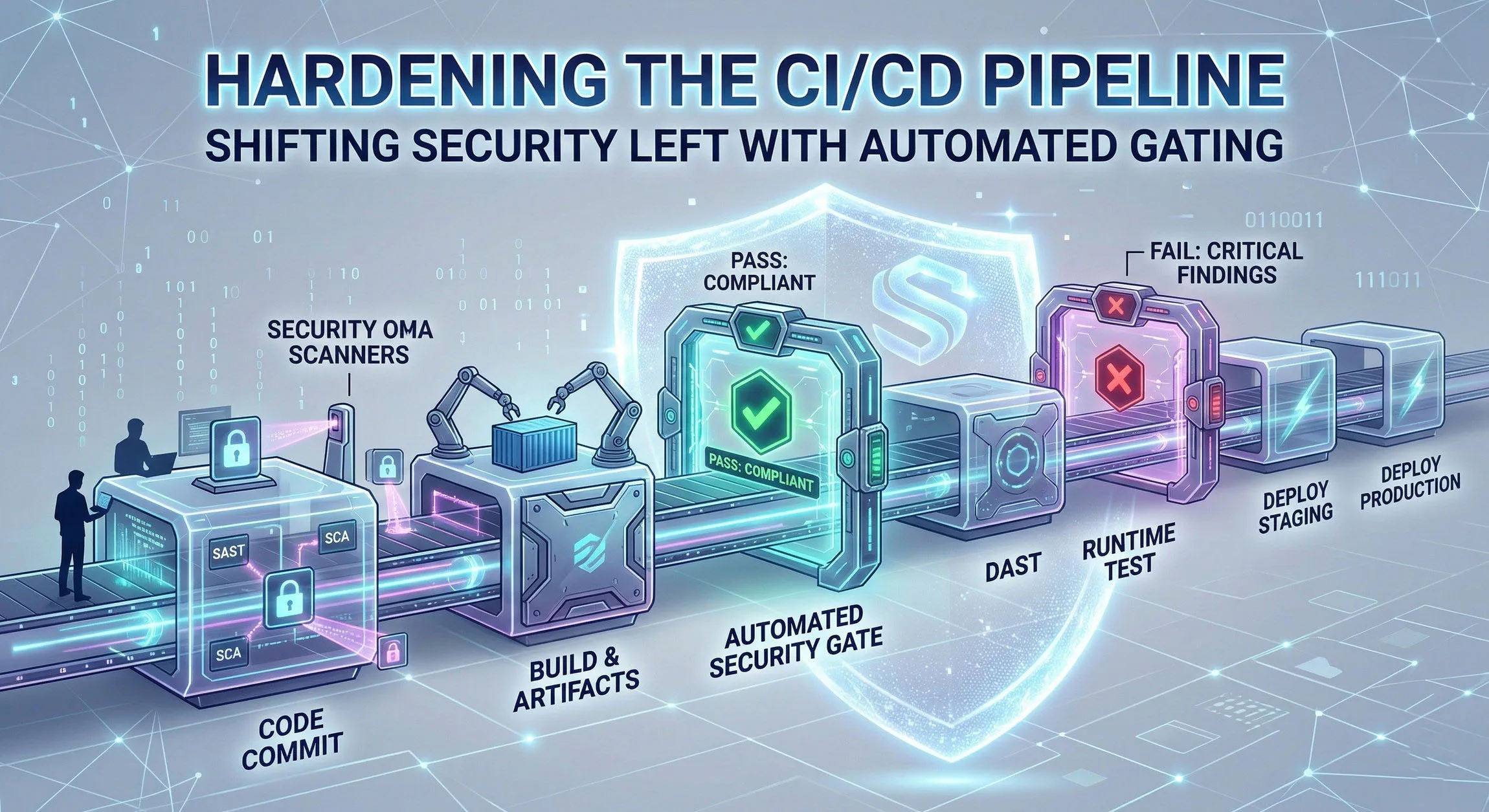
Hardening the CI/CD Pipeline
In the modern era of software development, velocity is king. Organizations are racing to deliver features faster than ever before, utilizing Continuous Integration and Continuous Deployment (CI/CD) pipelines to automate the journey from code commit to production.
However, this relentless pursuit of speed often comes at a cost: security.
Traditionally, security testing was a reactive, “check-the-box” activity performed just before a major release. In a high-velocity DevOps environment, this approach is disastrous. It creates bottlenecks, leads to stressful late-night remediation efforts, and frequently results in vulnerable code being shipped to production.
To build resilient, secure software without sacrificing speed, we must Shift Security Left and integrate automated Security Gating directly into the CI/CD pipeline.
The Problem with “Bolt-On” Security
When security is treated as an afterthought, several issues arise:
- High Remediation Costs: Fixing a vulnerability in production can cost up to 100 times more than fixing it during the coding phase.
- Delayed Releases: Finding a critical flaw hours before deployment halts the pipeline, causing frustration among stakeholders.
- Broken Context: Developers are often asked to fix bugs in code they wrote weeks or months ago, forcing them to re-learn the context of that specific codebase.
What Does “Shifting Left” Mean?
“Shifting Left” refers to the practice of moving security testing and consideration to the earliest possible stages of the software development lifecycle (SDLC). Instead of testing for vulnerabilities right before deployment (the right side of the timeline), we test during coding, committing, and building (the left side).
By shifting left, developers receive immediate feedback on the security posture of their code while they are still working in that context.
The Power of Automated Gating
While testing early is crucial, it is only effective if we act on the results. This is where Automated Gating comes in.
A security gate is a policy defined within your CI/CD pipeline that evaluates the results of a security scan. If the results violate the defined policy (e.g., a “Critical” or “High” severity vulnerability is detected), the gate breaks the build.
This prevents vulnerable artifacts from proceeding further down the pipeline. Automated gating enforces a standard of quality and security that cannot be bypassed by accident or urgency.
Blueprint for a Hardened CI/CD Pipeline
Here is a step-by-step approach to implementing shifting left and automated gating within your pipeline.
Layer 1: The IDE (Pre-Commit)
Security starts before code is even committed.
- Technology: IDE plugins (e.g., Snyk, SonarLint) and local git hooks.
- The Check: Real-time feedback on insecure coding patterns (like SQL injection or hardcoded secrets) directly in the developer’s editor. Git hooks can scan for secrets (using tools like
gitleaks) before allowing agit push. - The Gate: The developer is prevented from committing until the issue is resolved locally.
Layer 2: The Commit Phase (SAST)
Once code is pushed to the repository, the initial automated pipeline begins.
- Technology: Static Application Security Testing (SAST). Tools like SonarQube, Semgrep, or Checkmarx scan the source code.
- The Check: Analyzing the source code for known security flaws without executing it.
- The Gate: Define a threshold. For example: “Break the build if SAST finds any vulnerabilities with severity ‘High’ or above.”
Layer 3: The Build Phase (SCA)
Applications are rarely built from scratch; they rely heavily on open-source libraries.
- Technology: Software Composition Analysis (SCA). Tools like OWASP Dependency-Check, Snyk, or GitHub Dependabot analyze the Software Bill of Materials (SBOM).
- The Check: Checking third-party dependencies against databases of public CVEs (Common Vulnerabilities and Exposures) and license compliance risks.
- The Gate: Define a threshold based on CVSS scores. For example: “Fail the build if SCA detects dependencies with a CVSS score higher than 7.0 (High) that have an available fix.”
Layer 4: The Container Phase (Image Scanning)
If you are deploying using containers (Docker/Kubernetes), you must secure the underlying infrastructure layer.
- Technology: Container Image Scanning. Tools like Trivy, Clair, or Amazon ECR scanning.
- The Check: Scanning the container base image and OS packages for vulnerabilities.
- The Gate: Prevent the container image from being pushed to the production registry if critical flaws exist in the underlying image.
Layer 5: The Test Phase (DAST)
While SAST looks at the code, Dynamic Application Security Testing (DAST) looks at the running application in a staging or testing environment.
- Technology: DAST tools like OWASP ZAP or Burp Suite Enterprise, orchestrated by the pipeline.
- The Check: Attacking the running application from the outside to find vulnerabilities like cross-site scripting (XSS) or insecure server configurations that only appear at runtime.
- The Gate: Although DAST can be slow, critical findings must block promotion to the production environment.
Overcoming the Challenges of Implementation
Implementing automated gating is not without its hurdles. To succeed, you must manage the human and technical element of the shift.
1. Avoid Gating “on Day One”
If you suddenly enable automated gating on a mature project, you will instantly break every build, infuriating the development team.
Solution: Phase the rollout. Start with “Alert Only” mode to baseline current issues. Then, begin gating only on new vulnerabilities while creating a backlog to remediate technical debt.
2. Guard Against False Positives
Security tools are prone to false positives. If developers don’t trust the tools, they will find ways to turn them off.
Solution: Dedicate time to tuning your security tools. Create clear paths for developers to flag and suppress false positives (with security review). Favor tools known for accuracy rather than sheer volume of alerts.
3. Build a DevSecOps Culture
Security cannot be a “Team of No” that creates bottlenecks. Security must be an enabler.
Solution: Security teams should provide the platform, tooling, and guidance, but developers must own the remediation of the vulnerabilities in their code. This requires training and a collaborative “DevSecOps” mindset where security is everyone’s responsibility.
Conclusion
Hardening the CI/CD pipeline by shifting security left and enforcing automated gating is no longer optional—it is a requisite for digital trust. By integrating security into the very fabric of the automation that builds and delivers our software, we eliminate bottlenecks, drastically reduce remediation costs, and ensure that we are not just shipping code faster, but shipping code safer.